
YouGooDai
Mobile of the Day

YouGooDai

5.0 FREE
  • Screenshot 1
  • Screenshot 2
  • Screenshot 3

Description

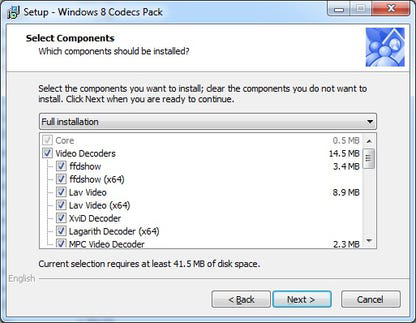
About Windows 8 Codecs PackThe Windows 8 Codecs Pack is a comprehensive collection of codecs designed to enhance media playback on Windows operating systems, including Windows 7, Vista, XP, and 2000. By installing this pack, users gain the ability to play a wide range of video, audio, movie, and music files. The pack installs essential codes, splitters, and filters that are necessary for smooth playback of various media formats. Whether it's AVI, VOB, MP4, FLV, MPEG, or other video formats, or AAC, AC3, DTS, FLAC, and more for audio files, the Windows 8 Codecs Pack ensures compatibility and ease of use for media playback. Key Features 1.Extensive Format Support The Windows 8 Codecs Pack provides extensive support for various video formats, including AVI, VOB, MP4, FLV, MEPG, MPEG, DAT, PS, TS, NUV, and WMV. With this pack, users can effortlessly play their favorite movies, videos, and other multimedia content in a wide range of formats. 2.High-Quality Audio Playback In addition to video formats, the Windows 8 Codecs Pack supports a range of audio file formats, such as AAC, AC3, DTS, WV, Vorbis, MO3, XM, S3m, MTM, MOD, FLAC, TTA, and APE. Users can enjoy high-quality sound and immersive audio experiences with ease. 3.DVD and BluRay Support This codecs pack also extends its compatibility to popular DVD and VCD formats, including BluRay and AVCHD. By installing the Windows 8 Codecs Pack, users can effortlessly play their DVD collections or enjoy BluRay movies without any additional software or plugins. 4.Easy Installation and Integration The Windows 8 Codecs Pack offers a user-friendly installation process, allowing users to set up the codecs quickly and efficiently. Once installed, the codecs seamlessly integrate into the Windows operating system, ensuring smooth playback without any extra configuration. 5.Improved Media Compatibility With the Windows 8 Codecs Pack, users can overcome compatibility issues and enjoy hassle-free playback of a wide range of media files. By installing all the essential codes, splitters, and filters, the pack ensures that the operating system has everything it needs to handle various media formats effectively. The Windows 8 Codecs Pack provides users with a comprehensive solution to optimize media playback on their Windows systems. From video formats like AVI, MP4, and FLV to audio formats such as AAC and FLAC, this pack covers a wide spectrum of multimedia files. With its easy installation process and improved compatibility, the Windows 8 Codecs Pack enhances the media experience and ensures a seamless playback experience across different formats.Reviewed by Web Solution MartShow MoreShow Less

Guides & Tutorials for Windows 8 Codecs Pack

How to install Windows 8 Codecs Pack
  1. Click the Preview / Download button above.
  2. Once redirected, accept the terms and click Install.
  3. Wait for the Windows 8 Codecs Pack download to finish on your device.
How to use Windows 8 Codecs Pack

This software is primarily used for its core features described above. Open the app after installation to explore its capabilities.

User Reviews for Windows 8 Codecs Pack 0

    No reviews found

Similar Apps
